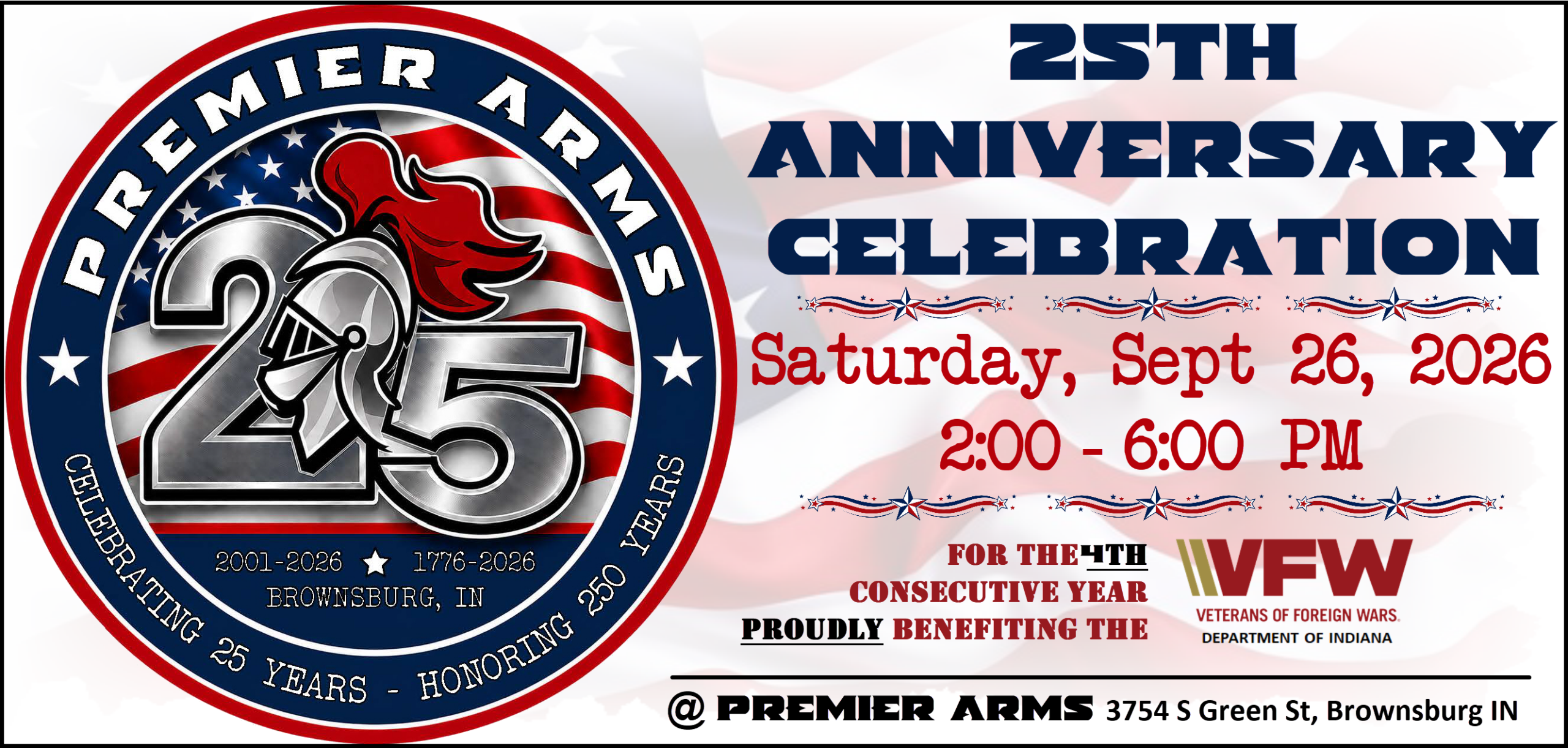
August officially marks the 25th Anniversary of Premier Arms™. What an amazing ride this has been and all thanks to our great customers! And of course, we are going to celebrate again this year! Mark your calendars for Saturday, September 26th! Please join us in supporting the Veterans of Foreign Wars-VFW Department of Indiana and raise some money to help them support Hoosier Veterans! This year we are proud to announce that our Anniversary Fundraiser to present by our friends at WIBC (93.1FM)!

25th Anniversary Celebration
Event Sponsors








Auctions
Upcoming Auctions
Below is a list of upcoming auction items. These auction items are not yet available to bid on, but feel free to browse and add auction items that interest you to your Auction Watchlist.
Showing all 0 results
Active Auctions
Below is a list of items in our active auction. These auction items are available for bid with the auction ending time as indicated for each auction item.
Showing all 0 results
Drawings, Sponsorship & Donations
-
 This product has multiple variants. The options may be chosen on the product page
25th Anniversary Event VFW Donation
Price range: $25.00 through $500.00
Auction Information & FAQ
We have listed answers to common questions regarding the online auction below. If the below FAQ doesn’t answer your question, please ask a Premier Arms™ staff member.
Do I need to have an account to bid?
Yes, you must have an account to bid in the auction. If you already have an account, please login. If you need to create a new account, please complete our account registration form.
How do I track my auction bids?
Track auction bids you have placed in the My Auctions tab of your account dashboard.
How do I track my auction watchlist?
Track items in your auction watchlist in the My Auctions tab of your account dashboard.
How do I know that my bid was successfully submitted?
After you submit a bid, the auction item will display a “YOU HAVE SUCCESSFULLY BID” notice. This confirms your bid has been placed.
Additionally, you can see a complete list of all bids on an auction item by clicking the “Bids” section at the bottom of the auction item listing (note: bidder usernames are obscured by omitting all letters except the first and last).
How do I know if I won an auction item?
There are several ways you will be notified if you are the winning bidder on an auction item:
- the My Auctions tab of your account dashboard will indicate the auction items you have won along with a link to pay
- the auction item page will display a notification that you have won the item along with a link to pay
- you will receive an email notification with link to pay
How do I pay for auction items that I have won?
You can pay for your won auction items in one of the following ways:
- click the link in the won auction item email notification you should have received
- go to the My Auctions tab of your user dashboard and click the “Add to Cart” button
- go to the auction item listing in the Premier Arms™ online store and click the “Add to Cart” button
Once you have added all your auction winnings to your cart, click the cart icon in the site header, click “Proceed to Checkout”, and fill in your billing and payment details.
If you are present at Premier Arms, you may also pay for your won auction items via cash or check via our counter inside the store.
Why am I not receiving auction notification emails?
If you aren’t seeing auction notification emails in your inbox, they have most likely been filtered to your “spam” folder. To help avoid this, add sales@premierarms.com to your list of email contacts.